Basic Instagram story views
-20 %
Advance Instagram story views
-17 %
Master Instagram story views
-6 %Master Instagram story views II
-21 %You post a beautiful, well-edited Instagram Story, only to check back three hours later and see a measly handful of views. It’s a common frustration for creators and brands alike. Despite having thousands of followers, your Story reach often feels like it’s hitting a glass ceiling. The reality is that Instagram doesn't show your Stories to all your followers by default. To break through, you need to understand the mechanics of the Instagram Story algorithm and how to trigger the signals that force your bubble to the front of the line.
At ASOLeapedia, we specialize in digital growth and visibility. While our core focus is often App Store Optimization, we know that social signals and cross-platform engagement are the lifeblood of any modern digital brand. Increasing your Story views isn't just about vanity numbers; it’s about building a high-intent audience that eventually converts into customers.
To increase Instagram Story views, you must prioritize Engagement Signals (replies, sticker taps, and shares) over mere consumption. The algorithm ranks Stories based on "Closeness," so using interactive stickers in your first slide and maintaining a consistent posting cadence are the most effective ways to stay at the front of your followers' feeds. Avoid engagement bots, as they destroy your long-term reach.
Before we dive into the "how-to," we must define what the algorithm actually is. Unlike the Feed or Reels algorithms, which focus heavily on discovery and new audiences, the Story algorithm is primarily about retention and relationships.
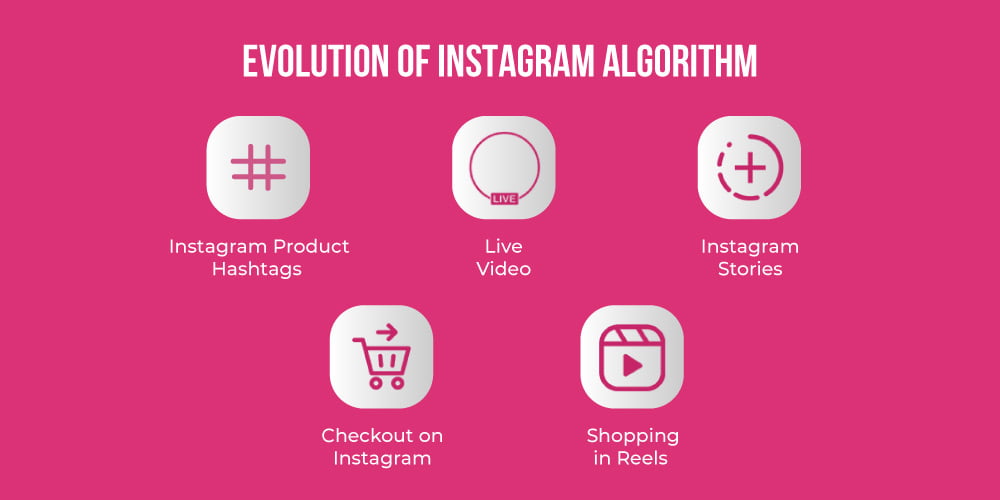
According to Instagram’s own creators blog, the goal is to show you content from the people you care about most. If your views are dropping, it means the algorithm has categorized your content as "low-interest" for a portion of your audience.
Why should you care about Story views when Reels get more reach? The answer lies in the conversion funnel. Reels are for discovery (Top of Funnel), but Stories are for nurturing and closing (Middle/Bottom of Funnel). High Story views indicate a loyal community that is ready to buy.
"The Instagram algorithm isn't a gatekeeper; it's a matchmaker. If you don't provide the spark—which is engagement—the match between your content and your audience never happens."
— Marcus Thorne, Digital Strategist at ASOLeapedia
The first Story you post in a 24-hour cycle is the most important. If the first slide gets high engagement, Instagram will push the subsequent slides to more people. Always start your day with an interactive sticker. Polls, Sliders, and "This or That" quizzes are perfect because they require only a single tap from the user.
If you notice your views are consistently declining, your account might be stuck in a "low-reach loop." To fix this, let your Stories expire completely. Wait a full 24 hours without posting anything to Stories. This "resets" the algorithm's tracking for your account. When you post again after the break, the algorithm treats it as fresh content and often gives it a significant boost.
Statistics show that up to 60% of users watch Stories with the sound off. If you are talking to the camera without captions, you are losing more than half of your potential engagement. Use the built-in "Captions" sticker or manually type out the "hook" of what you are saying. If people can't understand the context immediately, they will swipe away, signaling to the algorithm that your content is boring.
Instead of posting 10 Stories all at once, space them out. Post 2-3 in the morning, 2-3 in the afternoon, and 2-3 in the evening. Each time you post a new Story, your bubble moves back to the front of the followers' tray. This keeps you "top of mind" throughout the day.
There is no universal "best time" to post, but there is a best time for your audience. Navigate to your Instagram Insights > Audience and scroll down to "Most Active Times."
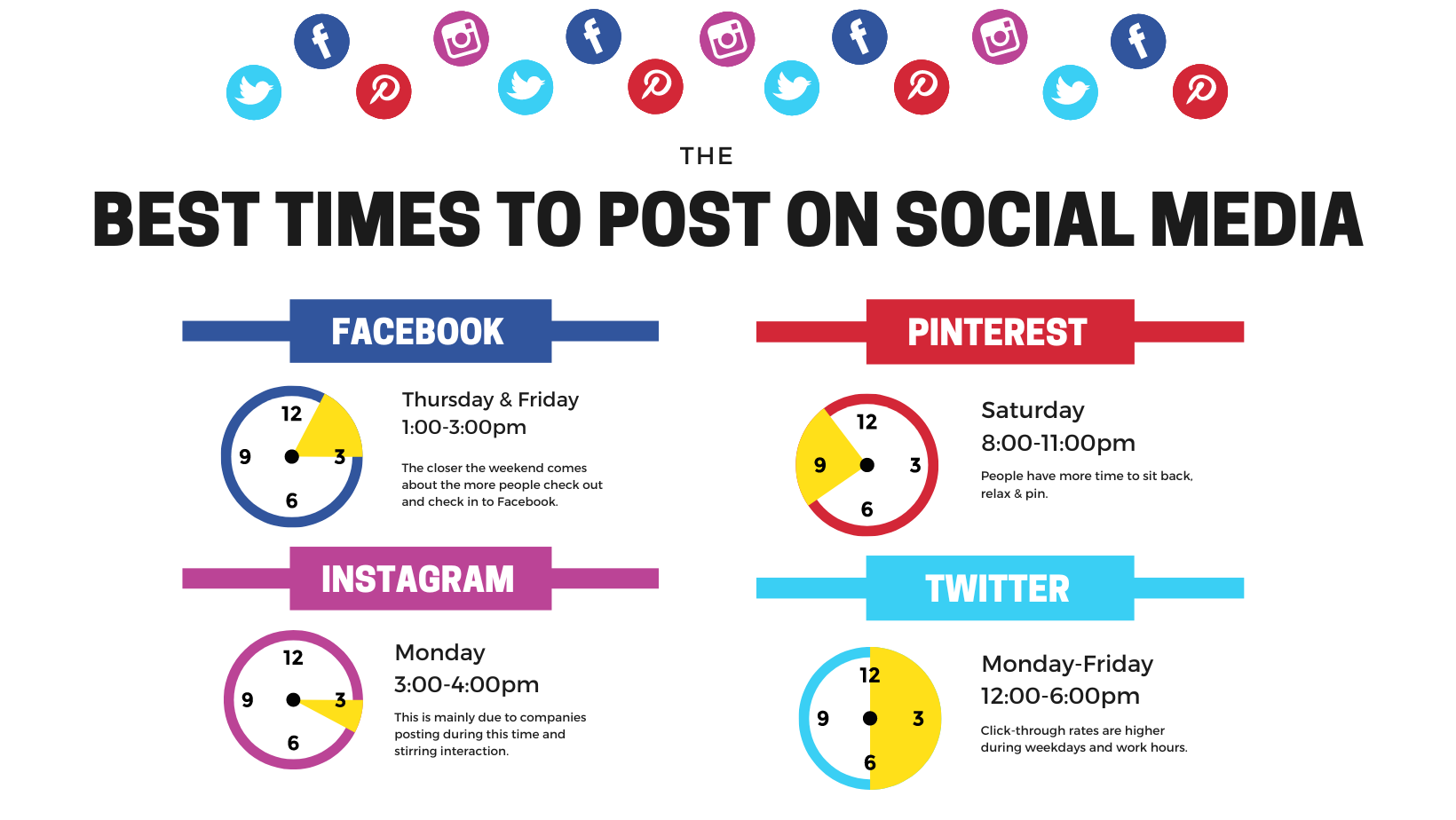
Pro Tip: Post your first "Engagement Slide" about 30 minutes before your audience's peak activity time. This allows the initial engagement to build up so that when the majority of your followers log on, your Story is already trending upward in the algorithm's eyes.
While hashtags in Stories aren't as powerful as they were in 2018, they still contribute to the "Explore" page for Stories and location-based searches. To keep your Stories looking clean:
| Feature | Organic Growth | Buying Bots/Views | Engagement Groups (Pods) |
|---|---|---|---|
| Long-term Reach | Increases over time | Dramatically decreases | Stagnates |
| Conversion Rate | High (Real People) | Zero (Fake Accounts) | Low (Reciprocal only) |
| Account Safety | 100% Safe | Risk of Shadowban/Ban | Risk of Flagging |
| Algorithm Sentiment | Positive (High Quality) | Negative (Spam Signals) | Neutral/Suspicious |
Buying bots is the fastest way to kill your Instagram account. When you buy views, your "View Count" goes up, but your "Engagement Rate" plummets. The algorithm sees 10,000 views but 0 replies or sticker taps, concluding that your content is low-quality. This results in your Stories being hidden from your real followers.
Instead of bots, use ASOLeapedia’s holistic approach: focus on high-quality creative assets and cross-promotion. If you have a blog, an email list, or an app, use those channels to drive people to your Instagram Stories for "exclusive" content. This creates a "virtuous cycle" of real, high-intent traffic.
High views are a vanity metric if they don't lead to revenue. To turn those views into customers, follow this 3-step sequence:
For more advanced strategies on digital visibility, check out ASOLeapedia's latest guides on multi-channel marketing.
Follow this 7-day plan to see a noticeable lift in your Story reach:
Does sharing my post to my Story help or hurt views?
It can help if done correctly. If you simply share the post, people may see it and keep scrolling. Instead, cover the post with a "New Post" sticker or a curiosity-inducing caption to force them to click through to the original post. This creates a "double engagement" signal.
Why did my Story views suddenly drop?
This is usually due to a drop in engagement on your first few slides, or you may have posted too much "promotional" content that caused people to swipe out early. A "swipe out" is a negative signal to the algorithm. Try the 24-hour reset method mentioned above.
How many Stories should I post a day?
The "sweet spot" for most brands is between 3 and 7 Stories per day. This provides enough opportunities for engagement without overwhelming your audience or causing "viewer fatigue."
Do hashtags still work in Stories in 2025?
They work for categorization and appearing in the "Explore" section for specific topics, but their impact is much lower than it was previously. Use them sparingly and keep them relevant.
Can I see who viewed my Story after 24 hours?
You can see the total number of views and engagement metrics in your Insights for up to 90 days, but the specific list of usernames who viewed the Story disappears after 48 hours.
Mastering Instagram Stories is just one piece of the digital growth puzzle. Whether you are looking to scale your social media reach or dominate the App Store rankings, ASOLeapedia provides the insights and tools you need to stay ahead of the curve. Don't leave your growth to chance or outdated tactics.
Ready to take your brand to the next level? Explore our expert resources and services at media.asoleap.com and start building a high-visibility brand today.
Stop letting the algorithm win.
Place your order today or get started with a 100% free trial. Focus on creating awesome content and we’ll do the rest.
Start now


